 Download for macOS
 Claude Code
 Codex
Codex Cursor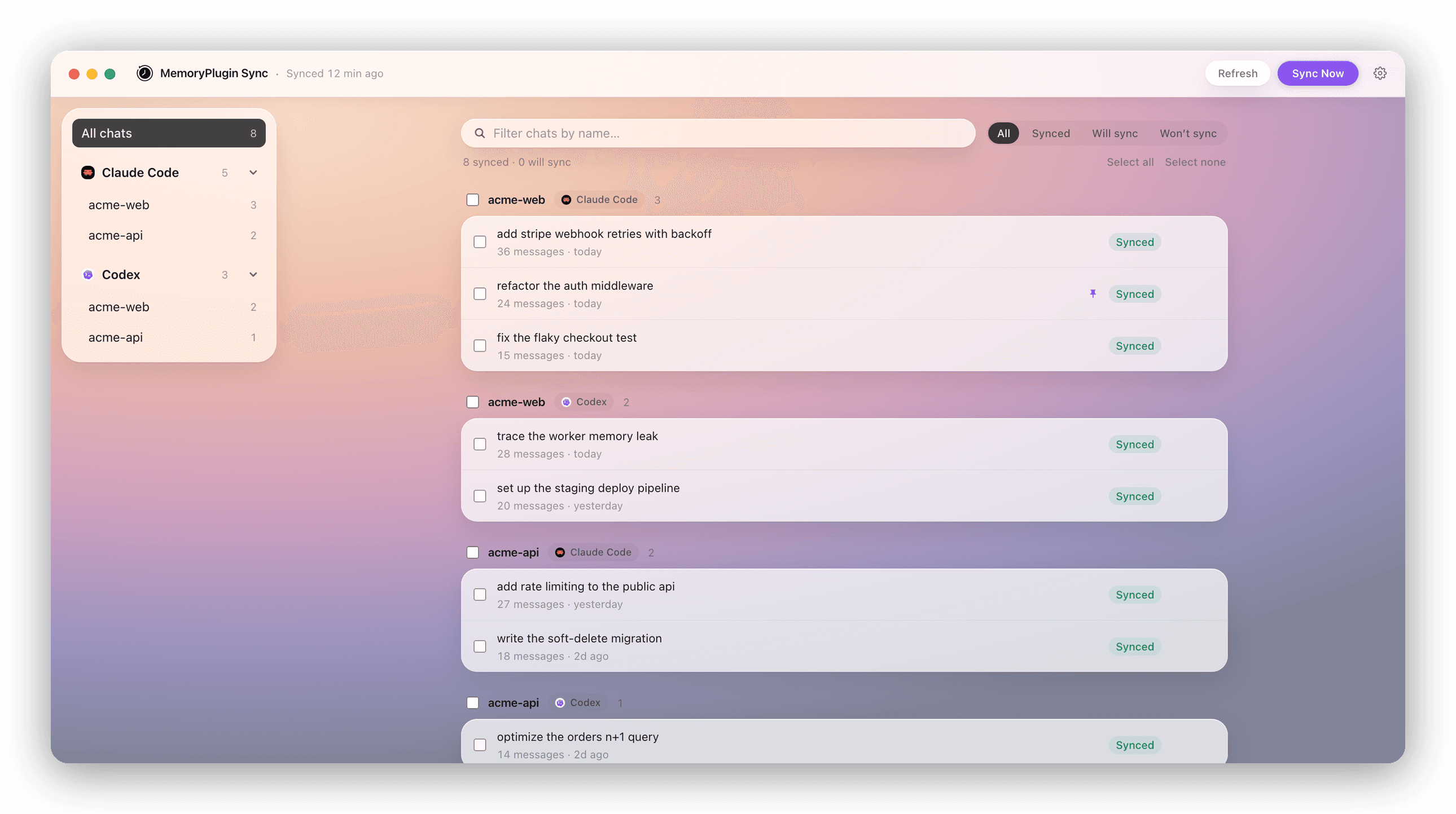
Set up once, synced from then on
Download and sign in
Install the app and sign in with your MemoryPlugin account in the browser. No API keys to copy.
Choose what syncs
Every project and chat has a checkbox. Nothing uploads until you've reviewed the list and started your first sync.
It stays in sync
The app lives in your menu bar and syncs finished conversations in the background. Pause it any time.
What syncs, in plain words
Only your prompts and the assistant's replies leave your machine. Tool output, file contents, terminal commands, and thinking never do. You pick which projects and chats sync, nothing uploads until you say so, and any synced chat can be removed from MemoryPlugin later with one click.
Questions, answered
Does my code get uploaded?
No. Only your prompts and the assistant's replies sync. Tool output, file contents, terminal commands, and thinking never leave your machine.
Which tools does it support?
Claude Code, Codex, and Cursor today, with sessions from every project on your machine. More local coding agents are planned.
Can I remove a synced chat later?
Yes. Every chat has a Remove action that deletes it from your MemoryPlugin history and stops it from syncing again.
Do I need a paid plan?
Syncing coding-agent chats with MemoryPlugin Sync requires a Pro plan. You can browse and read your local chats in the app for free on any plan.
Using Claude Code, Codex, or Cursor over MCP too? See the platform pages for memory setup, or install the MemoryPlugin agent skills so your agents use that memory on their own.